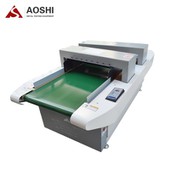

How to use the X-ray machine:
1. Connect the main power cord: connect the triangle plug to the power supply socket
2. For equipment with worktable, it is required to turn on the switching switch, plug in the starting switch and turn it clockwise;
3. Start the equipment: press the start button, the POWER indicator light will be on, and the equipment will enter the power on state. After normal automatic operation, the software operation interface will be entered;
4. Software calibration: click the "calibration" button on the main interface, and the software prompts "calibration in progress", and the X-ray indicator light is on. Usually, the calibration time is 3-5 seconds. After the calibration is completed, the X-ray indicator light is off;